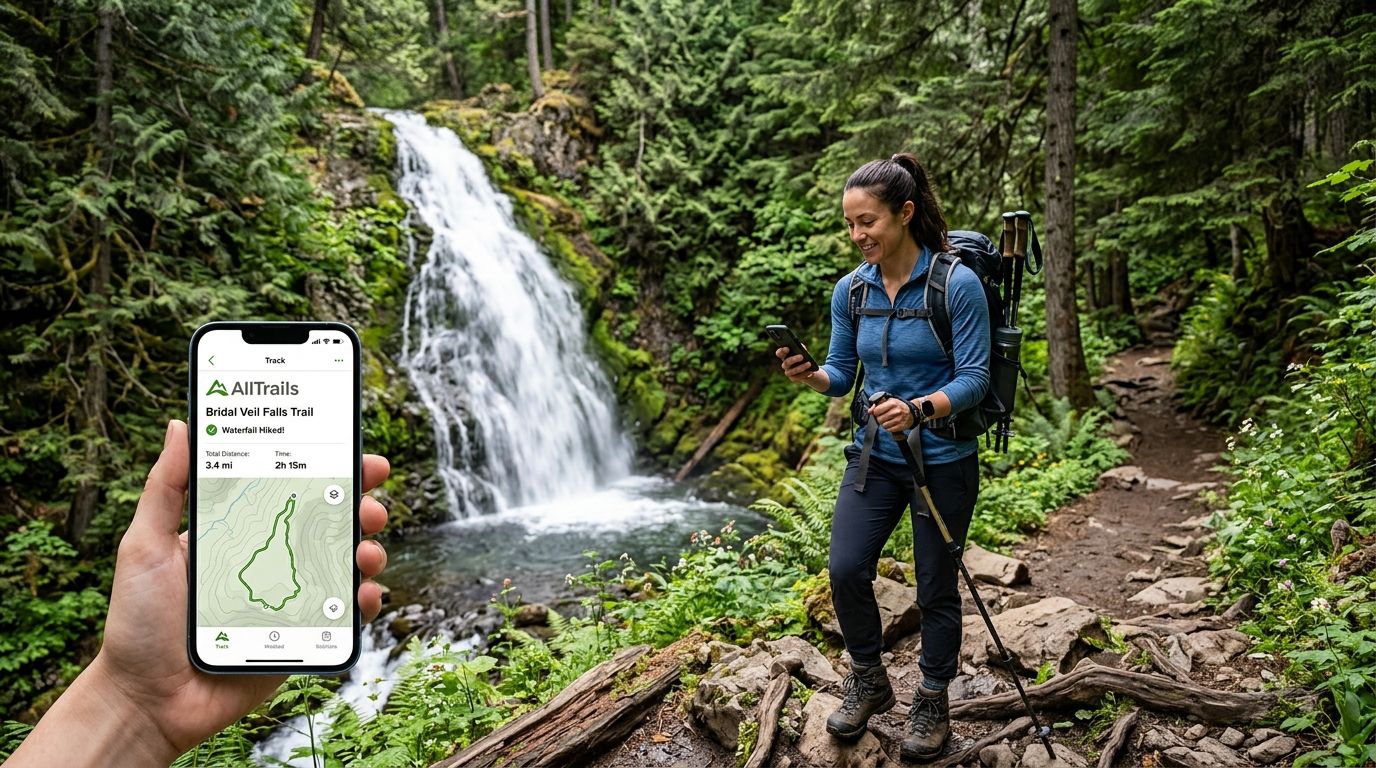
Hiking every waterfall on a checklist is easy to plan and easy to lose track of once you're six trailheads deep and can't remember which falls you actually reached versus which ones you photographed from a pullout. Instead of scribbling checkmarks on a printout that lives in your glovebox, build a custom list in AllTrails that mirrors your waterfall checklist and mark each one complete the moment your GPS confirms you hiked it.
- Building an AllTrails list from your Triptyka waterfall checklist gives you GPS-verified proof for every waterfall checklist alltrails tracking entry in 2026.
- Search AllTrails by trailhead or park name, not the waterfall's name — most waterfall names return zero results.
- Mark each hike complete in AllTrails, then check the same falls off your printed checklist as a permanent backup.
- Hiking clubs use the identical setup; only the list-sharing step changes for group tracking.
Why this matters
A printed checklist is permanent — it survives a dead phone battery, a deleted app, and a lost login. AllTrails adds the thing paper can't: GPS confirmation, elevation data, and a photo timestamp proving you were actually standing at the falls and not just in the parking lot. Running both together in 2026 means you get a keepsake passport for the wall and a data trail that settles any argument about whether you finished the last three on the list.
This matters most on multi-waterfall trails, where two or three named falls sit on one loop and it's easy to lose count of which ones you actually reached versus which one you turned around before.
Before you start
- An AllTrails account — the free tier handles lists and completion tracking; Pro adds offline maps, which matters for waterfalls in cell-dead canyons.
- Your Triptyka waterfall checklist (PDF or printed) with the waterfall names and their states or regions listed out.
- The gotcha: AllTrails indexes by trail name, not waterfall name. Search "Ramona Falls" and you'll find it, but search a lesser-known falls tucked off a longer trail and you'll get nothing. Search the trailhead or park name instead, then scan the trail description for the waterfall.
Set up your waterfall list in AllTrails
- Tap the profile icon in the bottom bar, then tap Lists.
- Tap New List and name it something you'll recognize later — "Waterfall Checklist 2026" works fine.
- For each waterfall on your Triptyka checklist, search the trailhead or park name in the search bar, open the matching trail card, and tap Add to List.
- Select the list you just created and confirm.
Expected result: your list view shows a running count of trails added, and each trail card now displays a small list icon confirming it's saved.
Mark waterfalls complete as you hike them
- After finishing a hike, open the trail page from your list or from Recent Activity.
- Tap Complete (or log the hike through Record if you tracked it live).
- Add a photo and a short note referencing the checklist number or name from your Triptyka passport — this makes cross-referencing painless later.
Expected result: the trail moves into your list's Completed filter, and the list's progress count updates automatically.
Track waterfall hikes for a hiking club roster
If you're coordinating a group rather than a solo passport, the setup is nearly identical — one member creates the shared list, and each hiker's individual completion still logs to their own profile even when the group hikes together. This variant matters enough that it gets its own breakdown in the waterfall checklist for hiking clubs guide, which covers roster splitting and shared trip logs in more depth.
Waterfall checklist tracking works best when the digital list and the paper checklist stay in sync — update both the same day you hike, not weeks later from memory.
Troubleshooting
- Waterfall doesn't show up in search. Search the trailhead, park, or nearest town name instead of the waterfall's proper name — AllTrails indexes by trail, and many falls share a trailhead with several other trails.
- List isn't syncing across your phone and tablet. Confirm both devices are signed into the same AllTrails account; a guest session on one device won't sync completions.
- Duplicate entries in your list. Remove the older entry manually — AllTrails doesn't auto-merge duplicate trail adds from separate searches.
- No GPS track for an out-and-back waterfall hike. Tap Record before you start walking, not after you're already at the falls — a mid-hike start leaves an incomplete track.
- Completed count on your list doesn't match your Triptyka checklist. Seasonal closures and rerouted trails sometimes remove or rename a trail entry mid-year, which can knock a completed hike out of the count until you re-add it.
Customize your workflow
Once your waterfall list is running, back it up so a phone swap or app glitch doesn't erase a season's worth of hikes. The guide to syncing your printable checklist to Google Drive walks through keeping a cloud copy of your checklist that updates alongside your AllTrails progress, so you're never relying on one single source for your tracking.
Get the printable waterfall checklist
Track every named waterfall in one printable passport.
FAQ
Can I track waterfall hikes in AllTrails without a paper checklist?
Yes, an AllTrails custom list works on its own, but pairing it with a printed checklist gives you a backup that survives account or app issues. Most collectors run both in 2026 for exactly that reason.
Does AllTrails have a built-in waterfall category?
AllTrails lets you filter trail searches by feature, including waterfalls, within a specific region or park. It won't generate a full national waterfall list on its own, which is why a separate checklist still matters.
Why can't I find a specific waterfall by name in AllTrails?
AllTrails indexes results by trail and trailhead name, not waterfall name. Search the park, trailhead, or nearby town instead and scan the trail description for the falls.
Is AllTrails Pro required for waterfall checklist tracking?
No, the free tier supports lists and completion marking. Pro adds offline maps, which helps in canyons and gorges where waterfalls often sit with no cell signal.
How do hiking clubs share a waterfall tracking list?
One member creates the shared AllTrails list and adds trails to it, while each hiker still logs their own individual completions on their profile. Group-specific setup steps are covered in the hiking club waterfall checklist guide.
What's the best way to log a waterfall hike I completed years ago?
Add the trail to your list and mark it complete manually, backdating the note if AllTrails allows it, then cross-check the date against your paper checklist. This keeps historic hikes counted even without a GPS track.
Does marking a waterfall "complete" in AllTrails require a recorded GPS track?
No, you can mark a hike complete manually without recording it live. A recorded track adds elevation and distance data, but it's not required to check the waterfall off.
One last thing
A lot of the most photographed waterfalls on any checklist run thin or dry by late summer once snowmelt tapers off, so a spot that looked spectacular on someone else's 2026 feed in May might be a trickle by August. Check recent trail reviews on the trail page before you drive out — hikers post flow conditions within days of visiting, and it's faster than guessing from a calendar.


