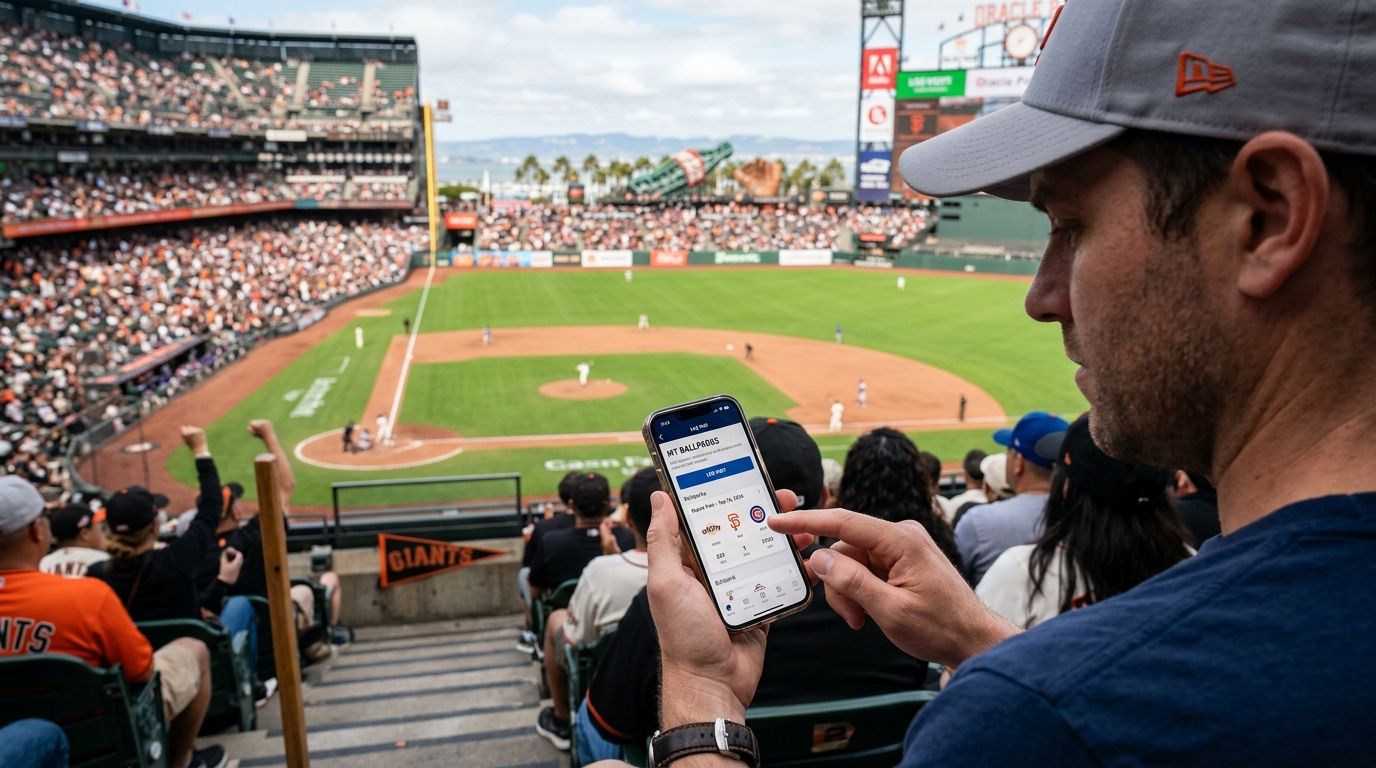
Checking in on the MLB Ballpark app feels like progress, but it isn't the same as logging a ballpark visit for good — the app tracks tickets and rewards points, not which of the 30 MLB stadiums you've actually walked into. Here's how to use the check-in feature the way it's built to work, and the one habit that makes your ballpark count permanent in 2026.
- The MLB Ballpark app logs ticket check-ins and rewards points, not a running count of unique stadiums visited.
- Check-ins only register when your ticket is fully loaded into the app for that specific game — paper tickets and unlinked resale tickets often don't count.
- The app can't backfill visits from before you started using it, so older trips need a separate log.
- Pairing the app's check-in with a printable ballpark passport is the only reliable way to track progress toward all 30 parks in 2026.
Why this matters
MLB Ballpark app users assume the check-in feature doubles as a bucket-list tracker. It doesn't. The app is built around ticketing and a rewards program, so its history view shows games you attended with a linked ticket, not a tally of how many of the 30 MLB stadiums you've crossed off. If you're chasing all 30 parks, division by division, that distinction matters the day you try to remember whether you've actually been to Comerica Park or just Progressive Field.
The fix isn't complicated. Use the MLB Ballpark app for what it does well — mobile tickets, in-game info, rewards points — and run a separate, permanent log for the bucket-list side. A printable passport checklist from Triptyka handles that job because it lives outside the app, survives a phone upgrade, and doesn't reset if MLB changes its rewards structure.
Before you start
- An MLB.com account (free) linked to the MLB Ballpark app, plus a mobile or transferred ticket for each game you want logged.
- Location services turned on for the Ballpark app — check-ins verify you're actually at the stadium, and a denied location permission blocks the confirmation screen.
- The gotcha: check-ins only fire off a ticket that's fully loaded into your Ballpark wallet. A printed-at-home ticket, a physical stub, or a ticket bought through a reseller that never got transferred into the app won't register a visit, even if you sat through all nine innings.
Link your ticket to the MLB Ballpark app
- Open the MLB Ballpark app and sign in with your MLB.com account.
- Go to your ticket wallet — the tab showing upcoming games.
- Add the game either by purchasing directly in-app or accepting a transfer from the season-ticket holder or reseller.
Expected result: the game appears in your wallet with the date, opponent, and stadium attached to it.
Check in at the ballpark
- Arrive at the stadium with the app open and location services active.
- Tap the ticket for that day's game inside your wallet.
- Confirm the check-in prompt when it appears — this is what credits the visit to your account and adds any rewards points tied to attendance.
Expected result: the game moves from your upcoming list into your attended-games history, and your rewards balance updates if you're enrolled in that program.
Review your ballpark history
- Open your account or rewards section inside the app.
- Scroll the list of past checked-in games.
Expected result: a chronological list of games you attended with a linked ticket — useful for remembering dates, not for confirming how many unique stadiums you've completed toward the full set of 30.
Logging a visit the app can't check in
Some visits never touch a linked ticket — a stadium tour, a game you attended years before you had the Ballpark app installed, or a ticket someone handed you at the gate. None of those show up in the app's history, no matter how far you dig into the settings.
That's the gap a printable passport closes. Mark the date and stadium by hand, and the record exists independent of any app update, account merge, or lost password. It's also the only way to see all 30 parks in one view instead of scrolling a ticket history sorted by purchase date.
Troubleshooting
- Check-in won't confirm. Location services are probably off, or you're outside the stadium's geofence — step closer to the gate and reopen the ticket.
- Rewards points posted but the park isn't "counted." The app tracks attendance for rewards, not unique-stadium completion — there's no built-in counter for how many of the 30 parks you've visited.
- A past visit isn't showing up. The app doesn't backfill history from before you started using it or before the ticket was linked. Log it manually instead.
- Ticket was under someone else's name. Check-in credit typically follows the account tied to the ticket, so a group ticket bought by a friend may not show on your history.
- Denied location permission by accident. Check your phone's app settings, re-enable location for MLB Ballpark, then reopen the ticket screen.
Customize your workflow
Once your ticket-and-rewards side is handled inside the app, decide how you want to track the bucket-list side. A dedicated MLB stadium checklist tracker gives you a division-by-division view of all 30 parks instead of a chronological ticket feed, which makes it easier to plan the next road trip around the parks you haven't checked off yet.
If you're building a season around it, pair the check-in habit with a printed or digital passport you keep in the glove box or on a tablet — the app handles the ticket, the passport handles the count.
Start your own ballpark passport
Track progress toward all 30 MLB stadiums with a printable checklist.
FAQ
Does the MLB Ballpark app track how many stadiums I've visited?
No. The MLB Ballpark app logs ticket check-ins and rewards points, not a running count of the 30 MLB stadiums. You need a separate list to track progress toward visiting all 30 parks.
Why didn't my ballpark check-in register?
Check-ins fail most often because location services are off or the ticket wasn't fully transferred into your Ballpark wallet before the game. Paper tickets and unlinked resale tickets don't trigger a check-in.
Can I add a ballpark visit from before I had the app?
The MLB Ballpark app doesn't backfill past visits. Any game before you linked a ticket has to be logged manually, on paper or in a separate tracker.
What's the difference between the MLB app and MLB Ballpark app?
The MLB app covers scores, stats, and video, while the MLB Ballpark app handles mobile tickets and stadium-specific features like check-ins and rewards. Ballpark check-ins live in the Ballpark app, not the main MLB app.
Is there an official way to track all 30 MLB ballparks?
MLB doesn't publish a built-in 30-park completion tracker inside its apps in 2026. Fans typically use a printable passport or spreadsheet alongside the app's ticket history.
Do rewards points mean I've completed a ballpark?
No. Rewards points reflect attendance and app activity, not stadium completion. You could earn points at the same park five times and never visit a new one.
Can I log a ballpark visit without buying a ticket through the app?
You can still attend and enjoy the game, but the app's check-in only credits attendance when a ticket is loaded into your Ballpark wallet for that date.
One last thing
The check-in feature exists because MLB wants fans buying and using mobile tickets — tracking personal progress toward all 30 parks was never the goal. Collectors who've actually finished all 30 almost always kept a separate log from day one, because by the time you're chasing park 25 through 30, you need the full history in one place, not buried three seasons deep in a rewards menu. Two leagues, 15 teams each, 30 stadiums total — the app can confirm you were there, but only a dedicated checklist tells you how far you've gotten in 2026.


