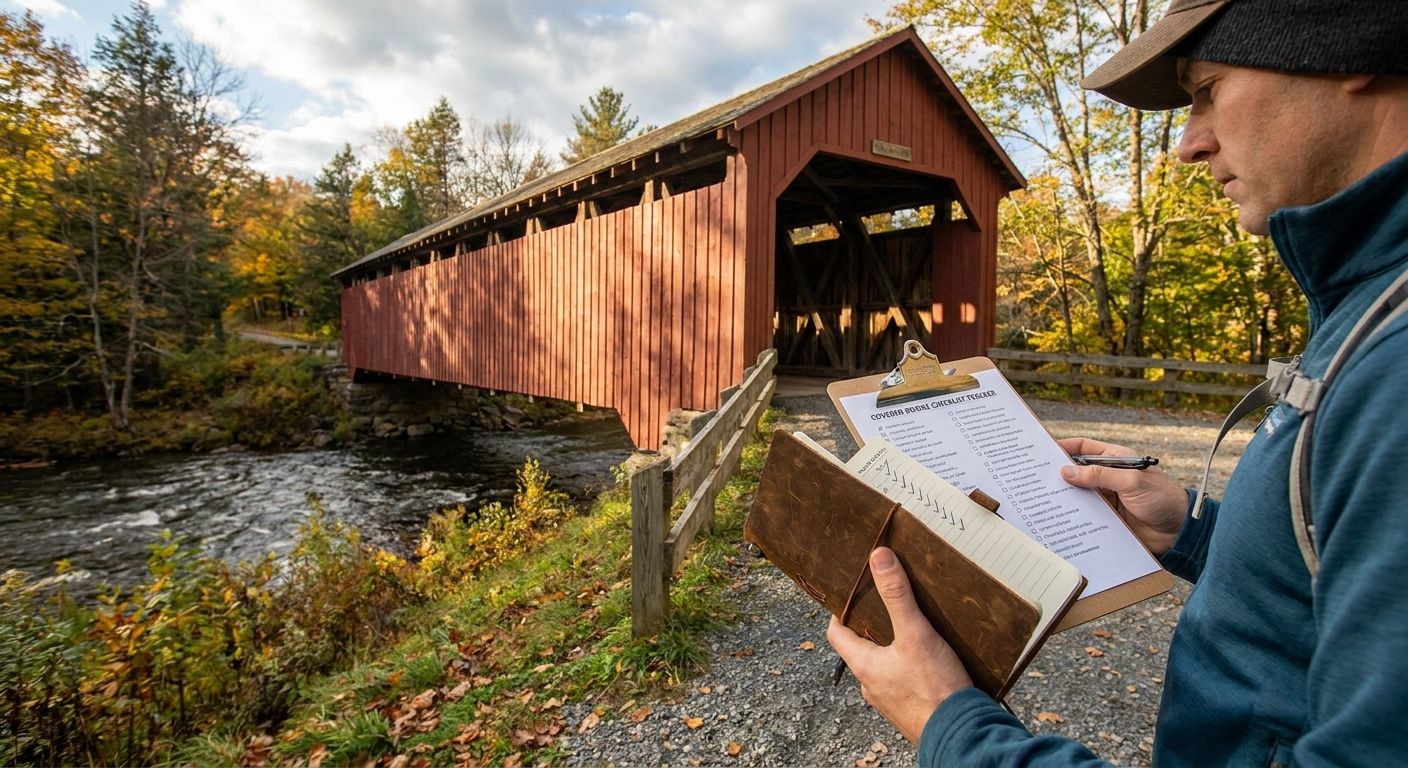
Covered bridges are disappearing fast enough that serious trackers want a system, not a napkin list — and the best covered bridge checklist tracker in 2026 is a printable, portable format you can update from the driver's seat with zero signal bars.
- Triptyka's printable covered bridge passport wins for gamified, offline-friendly tracking at $9.99.
- Google My Maps is the free pick for plotting driving routes between bridges.
- A DIY Google Sheets tracker is the true budget option at $0.
- NSPCB state rosters give the most reliable bridge-by-bridge research data.
- Physical logbooks and general bucket-list apps round out the list for specific travel styles.
Why this matters
Covered bridges don't show up cleanly in Google Maps searches, and most of them sit on rural backroads where cell service drops out right when you need to confirm you're at the right structure. A generic bucket-list app built for cities and landmarks doesn't handle that well.
What works is a format built for offline, list-driven travel — something you can check off in the car, at a picnic table, or after the trip when you're logging photos. Triptyka's printable bucket-list passport checklists were built around exactly that pattern: a downloadable PDF you print once and mark up for years, no app, no login, no dead battery at mile marker 40.
Six tracking methods actually hold up for covered bridge hunting in 2026. This guide ranks them by what they're best at, not by which one is flashiest.
What makes the best covered bridge checklist tracker
- Bridge-level detail — name, state, county, and truss type, not just "covered bridges near me"
- Works with no signal — most covered bridges sit well outside reliable cell coverage
- Room to log the visit — a date, a photo note, a personal rating
- Low cost to start — a hobby tracker shouldn't need a subscription
- Fits your travel style — road-trip planner, researcher, and collector need different tools
- Accurate bridge data — wrong locations waste a tank of gas
Covered bridge trackers at a glance
| Tracker | Best for | Standout feature | Starting price | Key limitation |
|---|---|---|---|---|
| Triptyka Printable Covered Bridge Passport | Gamified, printable tracking | Offline checklist you mark by hand | $9.99 one-time | No live map or GPS |
| NSPCB State Rosters | Verified bridge research | Bridge-by-bridge historical data | Free to browse online | Not built for checking off visits |
| Google My Maps Custom List | Route planning between bridges | Pin every bridge before you drive | Free | Needs signal to load new pins |
| DIY Google Sheets Tracker | Free, fully custom tracking | Add any column you want | Free | You build it from scratch |
| Physical Travel Logbook | A tactile keepsake | No screen, no battery | Varies by journal | No search or sort function |
| General Bucket-List Apps | Tracking bridges with other categories | Streaks and badges across hobbies | Free tier common | Rarely has covered-bridge-specific data |
1. Triptyka Printable Covered Bridge Passport: best for gamified, printable tracking
Triptyka sells downloadable, printable bucket-list passport checklists on Etsy, and the format is built for exactly this kind of collecting hobby — check a box, note the date, move to the next bridge. You print it once, and it lives in the glovebox instead of on a phone that dies at the worst possible pull-off.
Triptyka pros:
- Works with zero cell signal, since it's a printed page
- One-time $9.99 cost, no subscription
- Gamifies the hunt the same way a passport stamp book does
- Easy to mark up by hand, no app to learn
Triptyka cons:
- No built-in GPS pins or driving directions
- You're responsible for finding bridge details yourself
- Not searchable the way a spreadsheet is
Triptyka pricing: $9.99 one-time download, printable at home.
Best for: travelers who want a physical, gamified checklist over an app.
Verdict: Buy if you want the simplest offline tracker and don't need a live map.
2. NSPCB State Rosters: best for verified bridge research
The National Society for the Preservation of Covered Bridges maintains state-by-state rosters of documented bridges, which is the closest thing to a source-of-truth list for serious trackers in 2026. It's a research tool first, a checklist second.
NSPCB pros:
- Historically accurate, community-maintained data
- Organized by state, which matches how most people plan trips
- Free to browse online
NSPCB cons:
- Not designed for marking visits or logging photos
- Formatting varies by state and isn't built for printing as a checklist
- Requires you to build your own tracking layer on top
NSPCB pricing: Free to browse online.
Best for: confirming a bridge is real, named correctly, and still standing before you drive out.
Verdict: Buy as a research companion, not a standalone tracker.
3. Google My Maps Custom List: best for planning driving routes
Google My Maps lets you drop a custom pin on every bridge you plan to hit, then string them into a route before you leave the driveway. For anyone stacking five or six bridges into one weekend loop, this is the planning layer the printable passport doesn't cover.
Google My Maps pros:
- Free with any Google account
- Visualizes drive order and distance between bridges
- Pins persist even without signal once loaded
Google My Maps cons:
- Loading new pins or edits needs a signal
- No built-in checklist or visit-logging fields
- Gets cluttered fast with more than a dozen pins
Google My Maps pricing: Free.
Best for: mapping out a multi-bridge road trip before you drive it.
Verdict: Buy as your route-planning tool alongside a printed checklist.
4. DIY Google Sheets Tracker: best for free, fully custom tracking
A blank Google Sheet with columns for bridge name, state, truss type, and visit date is the true $0 option, and it's fully yours to reshape. It's slower to set up than anything else on this list, but nothing beats the price.
Google Sheets tracker pros:
- Completely free
- Add or remove any column you want
- Sorts and filters however you need
Google Sheets tracker cons:
- You build the whole thing from scratch
- No offline access unless you export it first
- Easy to abandon without a template pushing you to fill it in
Google Sheets tracker pricing: Free.
Best for: trackers who'd rather build their own system than pay for one.
Verdict: Buy if you have 20 minutes to set it up and enjoy customizing your own tools.
5. Physical Travel Logbook: best for a tactile keepsake
A blank journal or dedicated travel logbook works for people who don't want a screen anywhere near the hobby. It's the slowest option here but the one that ages best as a keepsake.
Travel logbook pros:
- No battery, no app, no login
- Becomes a personal keepsake over years
- Room for sketches or notes a checklist app can't hold
Travel logbook cons:
- No search, sort, or filter function
- Easy to misplace on the road
- No pre-built list of bridges to check off
Travel logbook pricing: Varies by journal.
Best for: travelers who want a keepsake more than a system.
Verdict: Hold unless you specifically want a journal over a checklist.
6. General Bucket-List Gamification Apps: best for tracking bridges with other hobbies
General bucket-list apps built for streaks, badges, and multi-category lists can technically hold a covered bridge list, but they rarely ship with bridge-specific data pre-loaded. You'll be adding every bridge yourself.
Bucket-list app pros:
- Tracks bridges alongside other bucket-list categories in one place
- Often includes streaks or progress badges
- Free tier is common
Bucket-list app cons:
- Rarely has covered-bridge-specific content pre-built
- Paid upgrades vary widely by app
- Data entry falls entirely on you
Bucket-list app pricing: Free tier common; paid upgrades vary by app.
Best for: someone already tracking multiple bucket-list categories who wants bridges folded into the same app.
Verdict: Skip unless you're already committed to one of these apps for other hobbies.
“A covered bridge tracker only earns its place in the glovebox if it still works when the signal drops.”
How this list was ranked
Each tracker was scored against the six criteria above: bridge-level detail, offline reliability, room to log a visit, cost to start, fit with actual travel behavior, and data accuracy. The Triptyka printable passport and the NSPCB rosters scored highest on offline reliability and data accuracy respectively; Google My Maps and Google Sheets scored highest on cost and flexibility.
Which covered bridge checklist tracker should you choose?
If you want one tool that works with no signal and turns the hobby into something you actually finish, the Triptyka printable covered bridge passport is the pick for 2026. Pair it with Google My Maps for route planning and the NSPCB rosters for confirming bridge details before you drive, and you've got a system that costs under $10 to start and doesn't depend on an app staying online.
Start your bridge checklist today
Printable, offline-ready tracking for $9.99 — no app required.
FAQ
What's the best covered bridge checklist tracker in 2026?
The Triptyka printable covered bridge passport is the best overall pick for 2026 because it works with no cell signal and costs a one-time $9.99. Pair it with Google My Maps for route planning if you're stacking multiple bridges into one trip.
Is a printable checklist better than an app for tracking covered bridges?
For covered bridges specifically, yes, because most sit outside reliable cell coverage. A printed checklist works without signal, while most apps need a connection to load new data or sync your progress.
How much does a covered bridge checklist tracker cost?
Options range from free to about $10. Google Sheets and Google My Maps are free, while Triptyka's printable passport is a one-time $9.99 download.
Where can I find a reliable list of covered bridges by state?
The National Society for the Preservation of Covered Bridges maintains free state-by-state rosters online. It's a research tool rather than a checklist, so most trackers pair it with a separate visit-logging system.
Can I track covered bridges the same way I track national parks or lighthouses?
Yes, the same printable passport format works across categories. Triptyka sells the same downloadable checklist style for national parks, lighthouses, and other bucket-list categories.
Do I need internet access to use a covered bridge checklist?
Not if you use a printed checklist or a pre-downloaded map. Apps and online rosters generally need a connection to load new pins or updated bridge data.
Is Google My Maps good for planning a covered bridge road trip?
Yes, it's free and lets you pin every bridge on your route before you leave, which helps sequence a multi-bridge weekend trip. It doesn't include a built-in checklist or visit log, though.
What's the cheapest way to track covered bridge visits?
A DIY Google Sheets tracker costs nothing and lets you add any column you want, from truss type to visit date. It takes more setup time than a pre-built checklist.
One last thing
The biggest mistake covered bridge trackers make in 2026 isn't picking the wrong tool — it's picking a tool that needs a signal in places that never have one. Whatever you choose, test it on your driveway with airplane mode on before you drive two hours to a bridge that won't load.


